
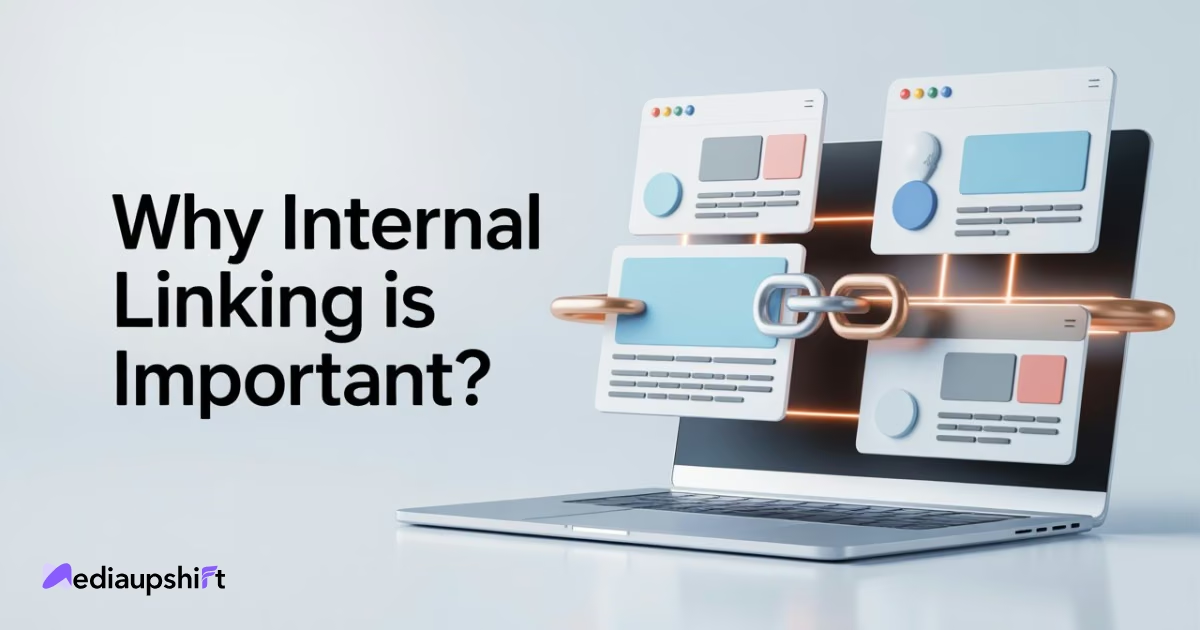
Most websites already have a powerful SEO secret on their own pages which they usually miss. Thinking that backlinks get you rank higher is not the only thing but that’s not the full story. The real game-changer is something called internal linking. This simple SEO strategy can make a big difference in how well your website shows up in search results and how long visitors stay on your site. So, basically internal linking is a process when you add a link from one page on your website to another related page on the same site. It’s easy to do, but it helps search engines understand your website better. It helps any visitor on the site to find more useful information about what they are looking for by connecting the related pages.
This also shows Google which of the pages are most important. And, no matter if you have a blog, online store, or business website, if you learn how to use internal linking, you can easily boost your SEO, improve on page optimization, and generate more traffic. In this post, we’ll explain why it matters, how to do it the right way, and how it can help your content perform better on Google.
What Is Internal Linking in SEO?
It is a process where you connect one page of your website to another page within the same domain. This helps users and search engines to move smoothly across your content and understand how all these different pages are related to each other.
For example, if you have a blog post about “Digital Marketing Strategies” and you link it to another blog that is about “keyword research”, then that would be called internal linking. This internal linking improves your link structure and increase website traffic. But one important thing you should know is the difference between internal and external links. Internal links are the ones that stay within your website, while external ones are those that direct users to other sites.
Here are some of the main types of internal links that you can use:
- Contextual links: These are placed within the articles to direct readers to the related content.
- Navigation links: They are found in menus or sidebars so that a reader can easily browse it.
- Footer links: This includes terms, policies, or contact pages.
When you use internal linking with SEO correctly, you make your website a lot more easier to navigate which automatically increases engagement, and improves how search engines crawl and rank your pages.
Why Internal Linking Is Important for SEO

Internal linking builds the foundation of your website’s SEO and to clearly understand the importance, let’s break down the major benefits of internal linking:
Helps Google Crawl and Index Your Site
Distributes Page Authority (Link Equity)
Improves User Experience & Engagement
Increases Ranking Opportunities
Boosts Conversion Paths
Search engines use bots that are called crawlers and they are the ones that scan your website. Internal links are like the guideposts here that help these bots to find and understand every page. While XML sitemaps are also very useful, links that provide real context about how your content connects and that makes your website more discoverable and improves crawlability.
Link equity is often known as link juice that is flowing through your internal links and when a high-performing page is linked to another, it shares its authority. This helps those pages that are kind of hidden, gain credibility and that boosts your overall SEO ranking.
Smart internal linking keeps the readers on your site longer. For example, if a user is reading about “Social Media Marketing Strategy,” you can link that page to other related posts like “creating viral content.” This improves the user’s experience and reduces bounce rate.
When you connect new articles to high-ranking ones, you help Google discover and index them faster. This increases the chances of ranking for multiple keywords, expanding your organic visibility.
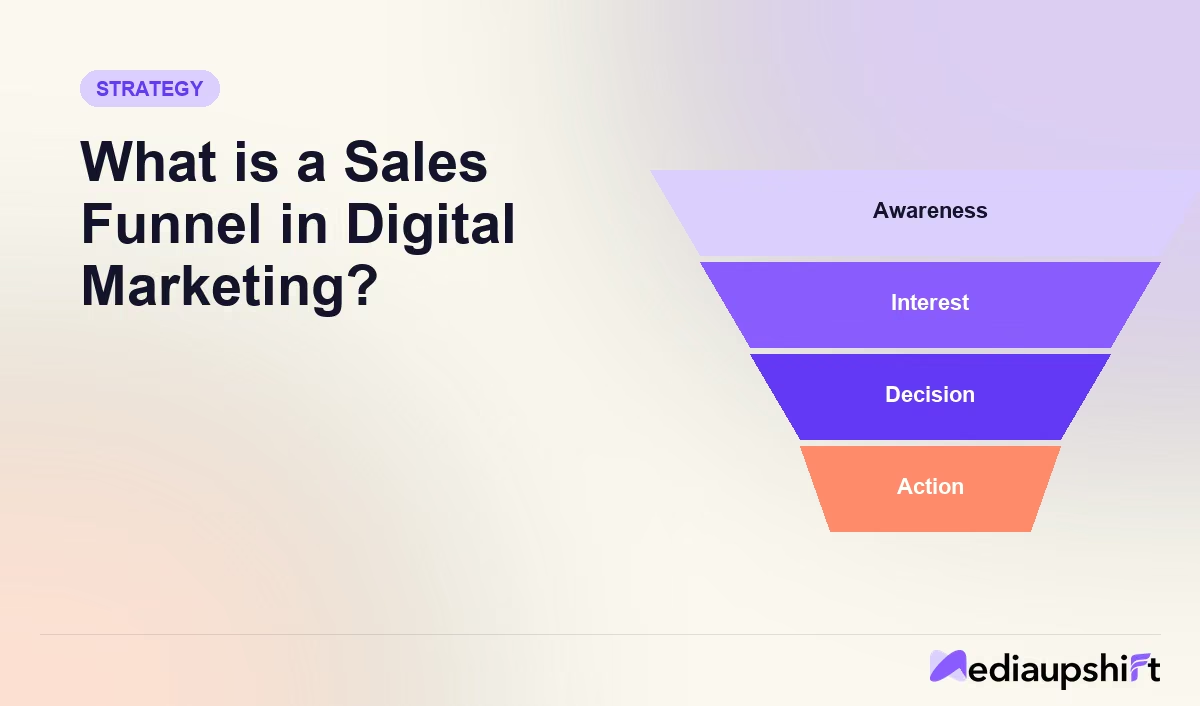
Internal links also guide the visitors on your website on this path and if you have a well-placed link, then it can direct readers from an informative blog to your product or service pages and optimise your Sales Funnel in Digital Marketing naturally.
In short, internal linking strengthens your website authority, boosts engagement, and improves how both users and search engines interact with your website.
Types of Internal Links You Should Use
Not all internal links serve the same purpose and understanding each type can help you build a balanced linking system:
Contextual Links
Navigational Links
Footer Links
Image Links
These are the most valuable. Found within articles or blog posts, they guide readers to related topics and strengthen SEO relevance. For instance, linking a blog on “keyword tools” to another on “Content Writing for SEO.”
These are the links that usually appear in menus, sidebars, or breadcrumbs and they help users to find main sections of your site super quickly.
These links are found at the bottom of web pages and they include the contact info, privacy policies and the service links.
Visual elements like the images or videos can also be linked to the internal pages but just make sure that you are using proper alt text for accessibility and SEO.
How to Create an Effective Internal Linking Strategy

Building a strong internal linking strategy takes more than just random linking. Here is a step-by-step guide on how you can create strategy:
Audit Your Existing Links
Identify Important Pages to Prioritize
Use Descriptive Anchor Text
Link Deeply, Not Just to the Home Page
Maintain a Logical Site Structure
Avoid Over-Linking or Spammy Practices
You should start with an audit of your website, using tools like Ahrefs, SEMrush, or Google Search Console that will help you identify broken links, orphan pages, and overlinked posts.
Highlight the key pages like your service pages, cornerstone articles, and also the top-performing blogs. These are the pages that deserve the most internal links to attract more visibility.
Anchor text tells the users and Google what the linked page is about, so instead of writing vague text like “click here”, you should use phrases like “learn our SEO checklist”. This improves anchor text optimization very easily.
Deep linking can spread the authority of your website evenly throughout and instead of always pointing to the homepage, you can also link to inner blog posts and specific service pages.
Follow the 3-click rule where any page should be reachable in three clicks from the homepage, which helps both users and crawlers and increase website traffic.
Don’t add too many links to one page because that looks unnatural and may confuse users so try to keep it clean and relevant.
By following these steps, you will be aligning with core digital marketing strategies that will make your website successful.
Internal Linking Tools to Simplify the Process
Internal linking can feel a bit tiring when you are managing a large website or blog, but with the right tools, it can be much easier and more strategic. Instead of manually tracking every link, use these tools that give you automated suggestions, identify opportunities, and maintain a healthy site structure for your website.
Yoast SEO
Link Whisper
Ahrefs & Semrush
Google Search Console
If you’re using WordPress, then Yoast SEO is a must-have. It automatically suggests the relevant internal links while you are writing and helps you build connections between pages in real-time. Plus, it also highlights your orphaned content (pages without any internal links).
This is an AI-powered WordPress plugin that finds you the smartest internal link suggestions instantly. It analyzes your entire site content and recommends contextually appropriate anchor texts that can save hours of manual work.
Both of these tools help you find linking opportunities, track link health, and audit your internal link structure. They also bring up the pages with very few internal links or broken ones that may hurt your SEO.
This is a free tool from Google that identifies orphan pages and shows you how effectively your site is being crawled. You can even use it to track and check your performance improvements after optimizing the links and generate more traffic.
Common Internal Linking Mistakes to Avoid
Even though internal linking is simple in theory, many websites lose ranking opportunities by just making small but costly mistakes. You need to avoid these errors that can dramatically improve your site’s SEO and crawlability.
Overusing Exact-Match Anchor Texts
Using the same keywords repeatedly for every link can make your site look spammy, so instead, you can diversify your anchor texts with natural variations. These variations feel much more authentic to both the users and Google.
Ignoring Deep Links
Don’t just link your homepages or main category pages, you need deep linking to specific blog posts or subpages to help the search engines understand your site hierarchy better and distribute the link equity more evenly.
Linking Without Context
If you are randomly inserting any links, it can break the reading flow and confuse the visitors if it has no context. Every internal link should add some value and guide your users to a more relevant or helpful content with local SEO.
Too Many Links on a Page
Overloading a page with multiple links can dilute the link equity and overwhelm the readers. You should just focus on quality, not quantity and adding only 3 to 5 meaningful links per 1000 words will work best for you.
Neglecting Regular Audits
You know that content is ever evolving or changing, and so should your links. You can use tools like Ahrefs or Link Whisper to fix those broken, outdated, or irrelevant links regularly.
Always link with purpose
If a link doesn’t enhance the understanding or navigation of your website, then it probably doesn’t belong there.
Conclusion
Internal linking is not that flashy, but it’s one of the smartest moves that you can use to strengthen your website’s SEO foundation. This is like the invisible web that ties your entire site together where your users can navigate easily and signal to Google which pages matter most. Following a strategic internal linking plan, you will improve crawlability and guide your visitors deeper into your content. This boosts your engagement, retention, and eventually conversions. You can go ahead by optimizing for local SEO, crafting an efficient marketing strategy and sales funnel, but internal linking is what makes every effort more powerful.
So, make your content seen and if you don't know where to start, then start by auditing your existing pages, add contextual links where they make sense, and keep refining your structure as your site grows. At Mediaupshift, we believe in smart internal linking as it is the backbone of sustainable SEO growth. If you are ready to enhance your SEO and generate more website traffic, then get your free audit today and start optimizing your internal links today!
Frequently Asked Questions
1. How many internal links should I use per page?
You can add up to 3 to 5 internal links for 1000 words but with that you should also focus on relevance and context and not just quantity.
2. Does internal linking help SEO rankings?
Yes, internal linking actually helps your SEO rankings by distributing the link equity, improving crawlability, and keeping your users stay longer on the web page.
3. What’s the difference between internal and external links?
Internal links connect pages within your website, while external links your website to other websites or sources outside of your domain.
4. Can too many internal links hurt SEO?
Yes, overlinking can confuse the search engines and dilute the link quality which makes your content look spammy or unnatural.
5. What tools can I use for internal link analysis?
You can use tools like Ahrefs, Yoast SEO, Screaming Frog, or Google Search Console to audit your site and optimize your internal link structure.

Want this kind of work for your brand?
30-minute discovery call. Free audit. Fixed-price proposal within 24 hours.